Permission sets built from one consistent, restricted pattern are easier to explain and to audit than sets assembled by hand. Building them by hand takes weeks, so many environments end up with super users and oversized sets. The Generate Exclude Permission Sets wizard of Advanced Permissions Management (APM) builds a task-based baseline from a curated library in minutes.
Generating permission sets needs a license. In a trial you can walk through the wizard and preview the result. Names and descriptions with Copilot also need a license. See License and registration.
Transcript of this video
Advanced Permissions Management. The permission set generator. Building permission sets by hand takes weeks. So most Business Central environments end up with super users and oversized sets. That is where the real risk lives. The permission set generator builds a solid, task-based foundation in minutes. Choose a naming prefix and a language. English, Dutch, German, French or Spanish. Pick from a curated library of ready-made permission sets. Inspect any set before you generate it, switch off what you do not need, and it is simply not generated, Need something that is not in the library? Add your own set. Give it a code, a name, and the process it belongs to, then list the objects and the permissions it needs. It is generated exactly like the library sets, with the same carve-out. Then generate, in one click. The smart part is how the sets fit together. A broad base set gives everyone convenient access. Every specific task set is automatically excluded from it, so the precise definition always wins where it applies. Open the broad set, and look at its lines. Sensitive data is protected by default. Ledger entries and posted documents are always restricted, even in the broadest set. Run the quality check, and the broad set is recognized for what it is: deliberately restricted, not wide open. From weeks of work to a secure baseline in minutes. Advanced Permissions Management, by 2-Controlware. Start your thirty-day trial.
Video (2 minutes): choose a prefix and language, pick sets from the library, add your own, generate, and check the result with the quality check.
¶ Generate permission sets
Start the wizard from the setup page (Generate Exclude Permission Sets) or from Assisted Setup (Generate baseline permission sets). You can run the wizard again at any time.
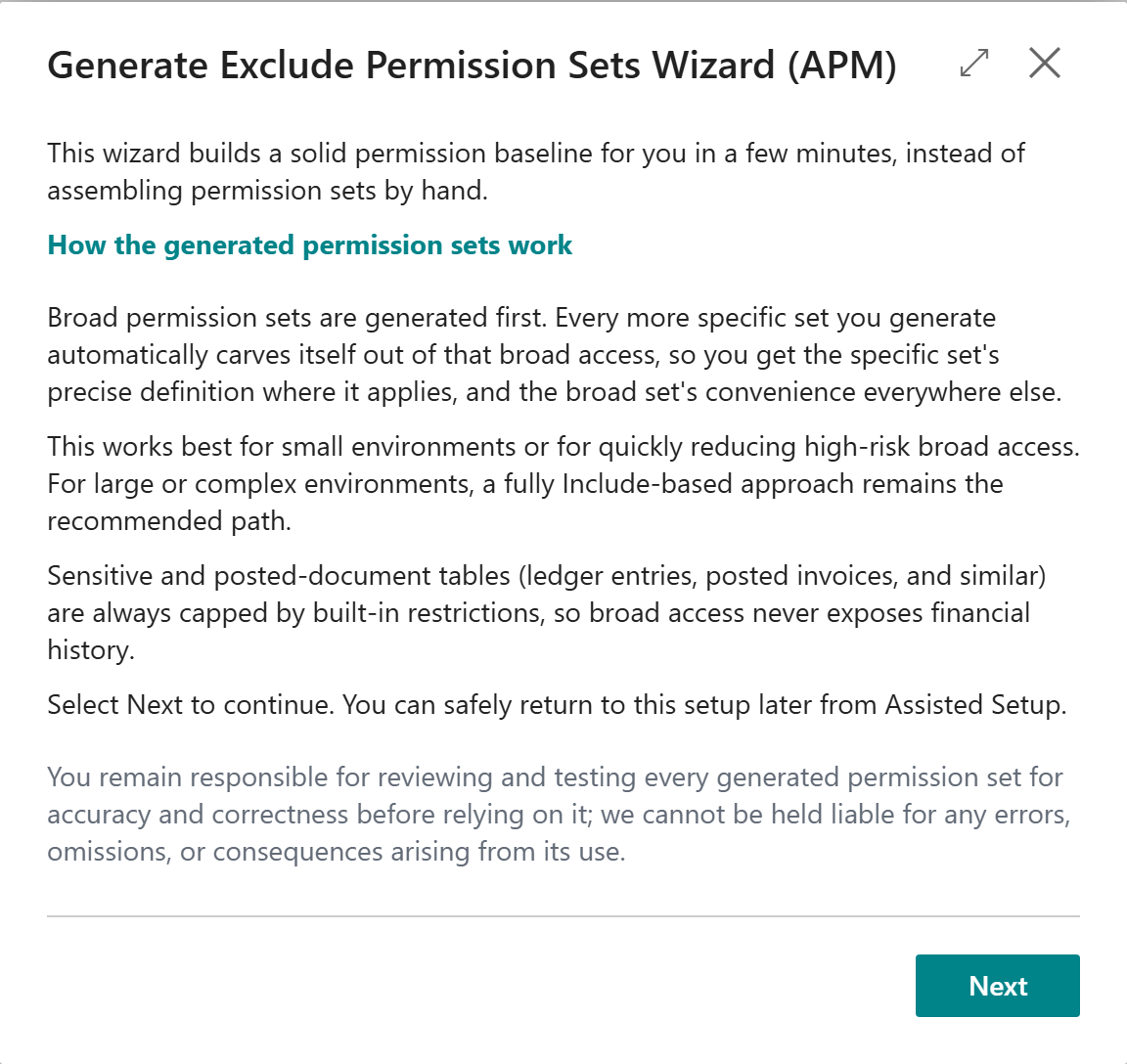
- On Welcome, choose Next.
- Choose a naming prefix and a language: English, Dutch, German, French or Spanish.
- Pick the predefined permission sets to generate. All are selected by default. Switch off what you do not need. Choose Show Permissions to inspect a set before you generate it.
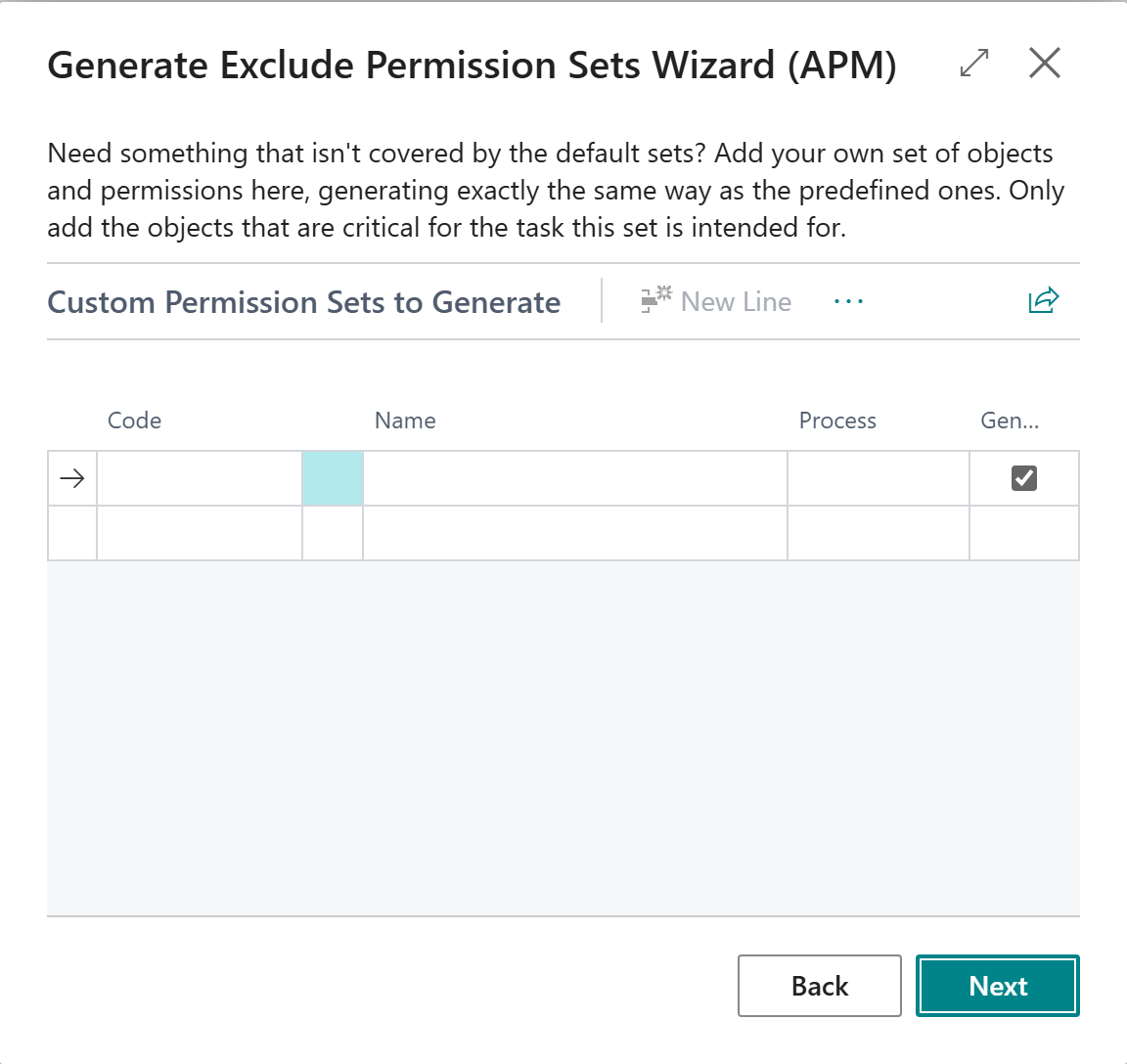
- Optional: add your own set. Give it a code, a name and the process it belongs to, then list the objects and the permissions it needs. It is generated like the library sets.
- Choose Generate. Generation runs with progress and takes a short while.
- Choose Open Dashboard Now to finish.
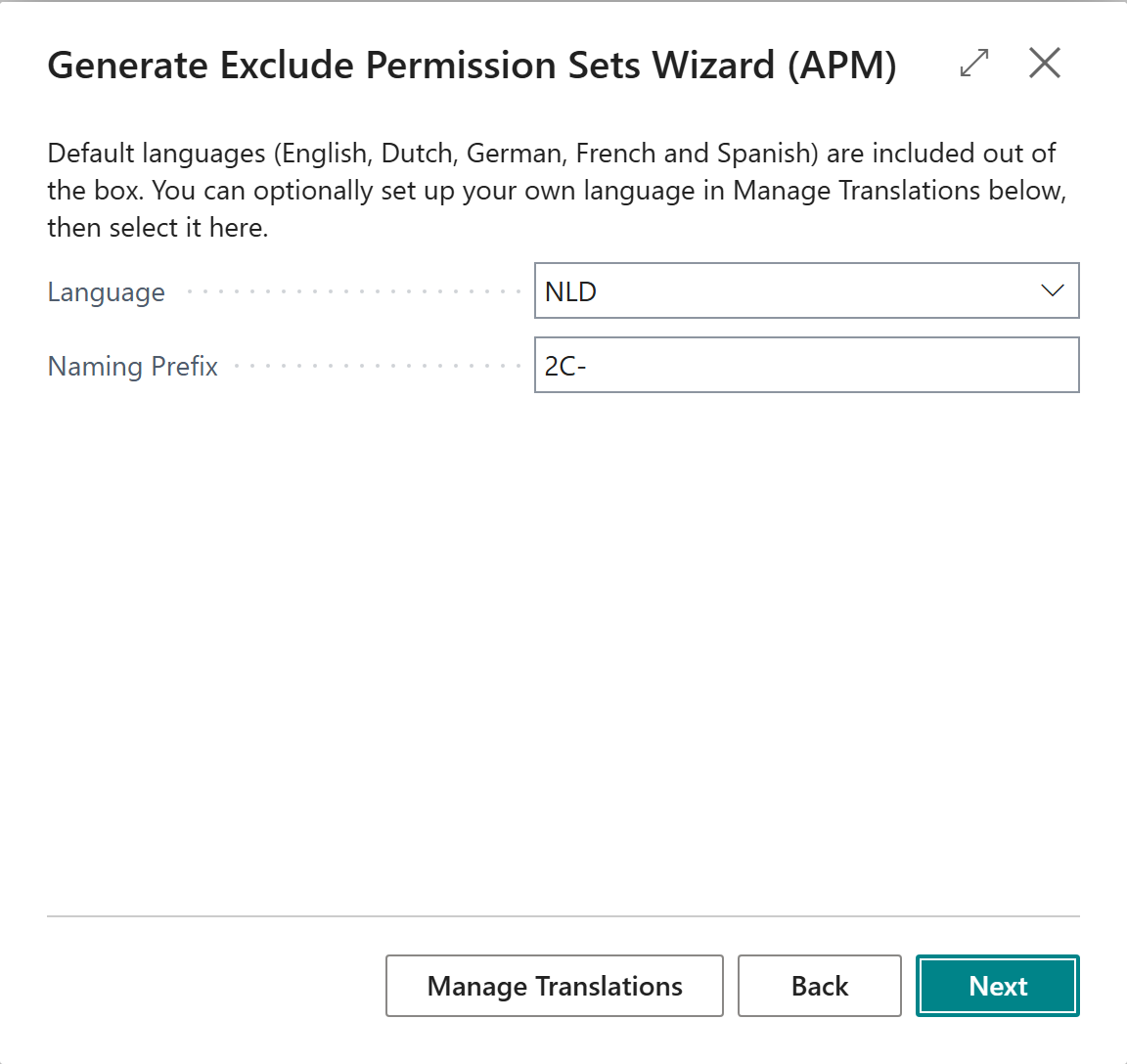
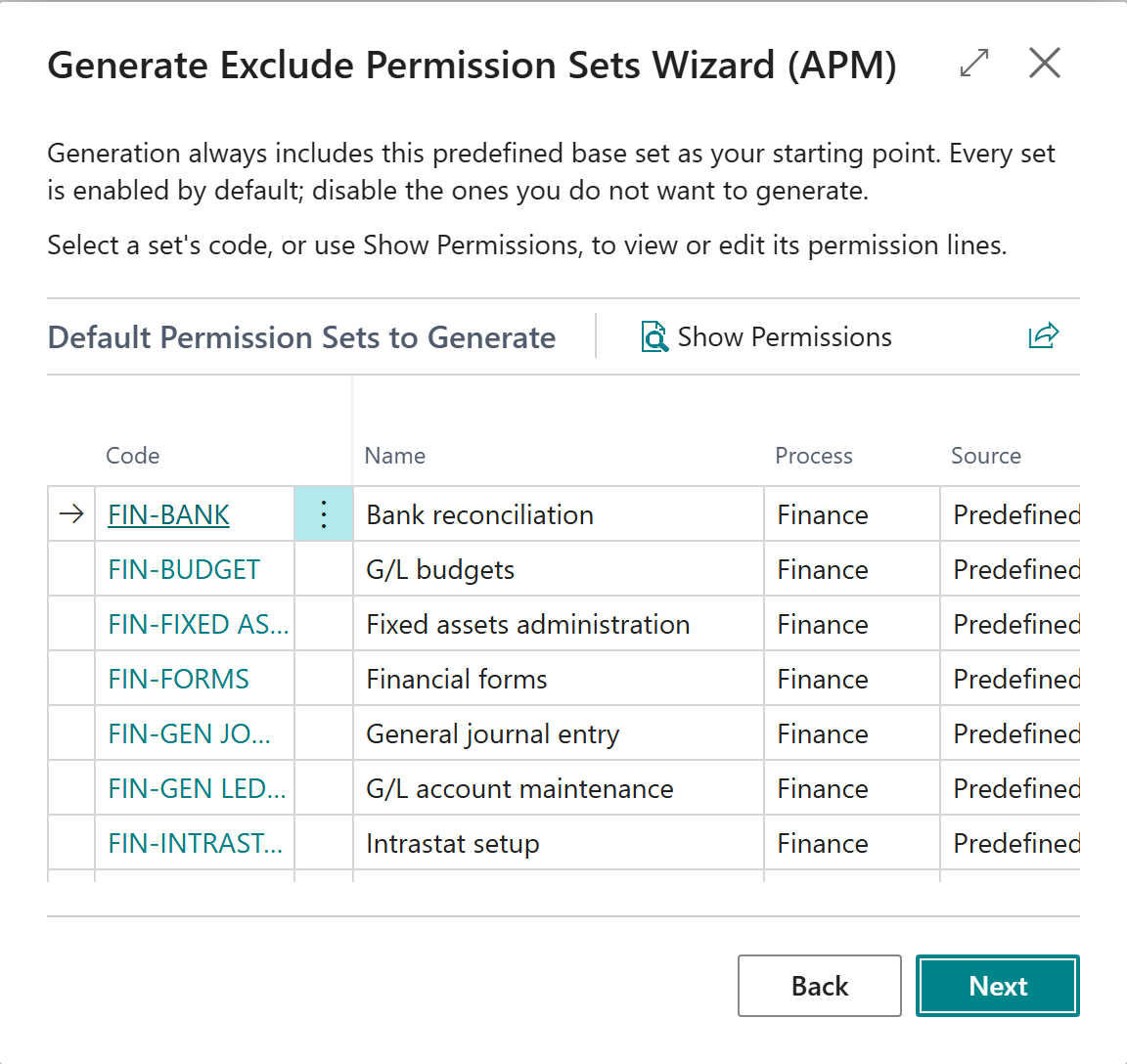
Every predefined set has a plain business name (maximum 30 characters) and a description, both available in English, German, Spanish, French and Dutch, in the language you choose. Generating a set saves the description on the new permission set. A description you edited by hand is never overwritten when you generate again.
¶ How the sets fit together
- Broad sets are generated first. Each more specific set then excludes itself from the broader set it overlaps, so the precise definition wins where it applies.
- Sensitive tables, such as ledger entries and posted documents, are always kept out of scope, even in the broadest set.
- Running the wizard again is safe for sets that were already generated.
You remain responsible for reviewing and testing every generated permission set before you use it in production. The quality check is a good first step.
¶ Names and descriptions with Copilot
Copilot can suggest a short name (maximum 30 characters) and a description of one to three sentences for permission sets, in the language of your choice.
- On the Advanced Permissions Management list, select one or more sets, or none to use the current view. To work on a single set, select only that set.
- Choose Generate Names & Descriptions (Batch).
- Choose what to generate, whether existing values may be overwritten, and the language.
The suggestion is based on what the set does, grouped into business categories such as master data, documents, posting and setup. A permission that is scoped by an Exclude relation is never described as unrestricted. Only permission sets that you created yourself can be renamed.
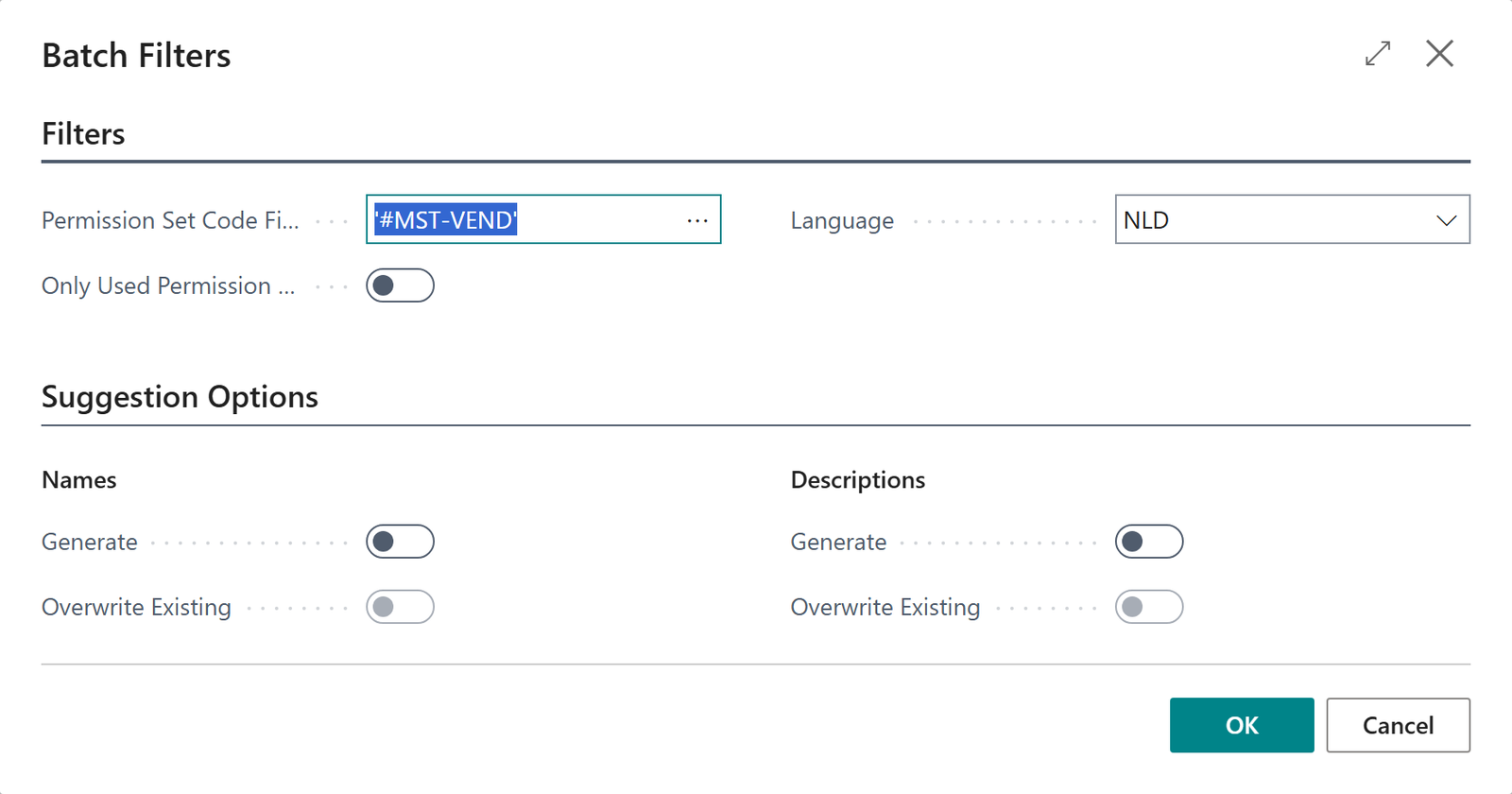
An administrator must switch the capability Compliance APM - Permission Set Text Suggestions on under Copilot & AI Capabilities before the action works.
Transcript of this video
Advanced Permissions Management. Names and descriptions with Copilot. Recorded and generated permission sets often have a vague name and no description. Later, nobody knows what they are for. Choose Generate Names and Descriptions. Select the sets, and choose the language. Choose what Copilot should write: names, descriptions, or both. Start the generation. Copilot writes a text for every selected set. Now every set has a clear name and a description. Review them, and change anything you want. Clear names, without the typing. Advanced Permissions Management, by 2-Controlware.
Video (50 seconds): select three recorded sets, choose what Copilot should write, and review the result.
Last reviewed: October 2026.